
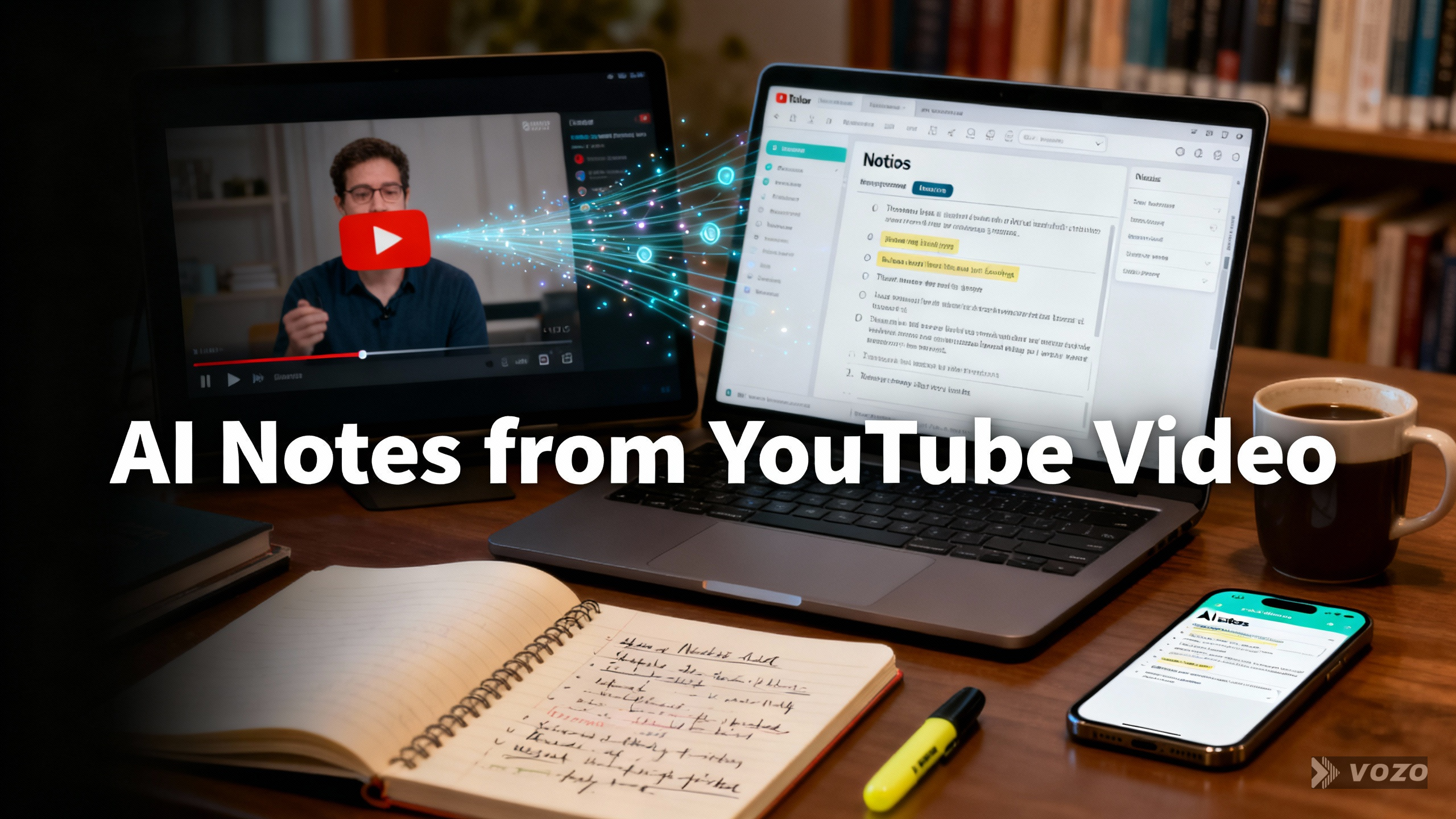
AI Notes from YouTube Videos
Introduction (authority + key facts)
If you have ever tried to study from a YouTube lecture, training, or tutorial, you already know the problem: the content is valuable, but the format is slow. A good YouTube AI note taker fixes that by turning video into readable, searchable text you can actually use.
Most tools follow the same pipeline:
- YouTube URL – transcript (speech-to-text) – AI structuring (summary/notes/chapters/keywords/quizzes) – export/share (Brisk Teaching; Notta; Maestra; Evernote; NoteGPT)
That “AI structuring” step is why AI-generated notes from YouTube video can be more useful than raw transcripts or subtitles. Brisk Teaching specifically calls out that notes can remove filler words and natural speaking tendencies, streamlining the message for learning.
Common ways to start include:
- Pasting a YouTube link into a web tool (Notta; Maestra)
- Using a browser extension to summarize or transcribe in one click (Brisk Teaching extension; Notta Chrome Extension; Maestra extension; NoteGPT Chrome extension)
- Uploading video files or recording browser audio (Evernote)
Multilingual support is a major differentiator across tools:
- Summaries in 50+ languages (Notta)
- 58 transcription languages and 42 translation languages (Notta)
- Over 125 languages for transcription, subtitles, and dubbing features (Maestra)
- Over 50 languages for transcription (Evernote)
Accuracy and usability depend on conditions and provider claims:
- Up to 98.86% transcription accuracy for high-quality audio (Notta)
- State-of-the-art speech recognition designed to handle accents and background noise, with best results from clear recordings and good microphones (Evernote)
And these workflows are mainstream at scale:
- 1,000,000+ educators love Brisk (Brisk Teaching)
- 80,000,000+ users and 12,000+ schools/teams (NoteGPT)
- Evernote: 248M registered users, 5B notes created, 2M notes created daily (Evernote)
If your goal is “YouTube to notes AI,” this guide walks through what to generate, how to generate it, and how to choose the right workflow for school, work, or content creation.
What “AI Notes from a YouTube Video” Means (Notes vs Transcript vs Summary)
When people say “ai notes from youtube video,” they usually mean one of three outputs, or a bundle of them:
- Transcript = a text rendering of spoken words from a video, often with punctuation and speaker labels when enhanced (Maestra).
- Summary = condensed key points so you do not need to watch the full video (Notta).
- Notes = structured learning material with headings and bullets and simplified phrasing, positioned as better than raw subtitles/transcripts for clarity (Brisk Teaching).
Many YouTube notes AI tools bundle summary + transcript so you can skim first and verify details in the original wording second (Notta). Brisk Teaching also positions “notes from YouTube video AI” as something you can generate in just a few clicks for students, teachers, and substitute teachers.
Navigation features matter when you want to jump to the right moment without rewatching:
- Timestamp breakdowns to navigate highlights (Notta)
- Chapters to segment content (Maestra)
Some tools go beyond “ai youtube notes” into learning and review aids like fact-checking, quizzes, and keywords (Maestra). Evernote frames this category more broadly as “video-to-text” and “link-to-text” conversion that can feed your note system.
EAV extraction (examples)
- (OutputType, includes, Transcript) (Notta; Maestra; Evernote)
- (OutputType, includes, Summary) (Notta; Maestra)
- (OutputType, includes, Chapters) (Maestra)
- (OutputType, includes, Quizzes) (Maestra)
- (OutputType, includes, TimestampBreakdown) (Notta)
Why Turn YouTube Videos into AI Notes (Learning, Access, and Time Savings)
Turning YouTube video to notes AI style is not just about convenience. It solves real constraints.
Key reasons from the sources:
- AI notes help when a learner cannot watch a video due to lack of technology access (Brisk Teaching).
- AI notes help when a learner needs additional support, like having a copy of notes to improve understanding (Brisk Teaching).
- Notes become reusable reference material for teachers, substitute teachers, and students (Brisk Teaching).
- Summaries capture main points without watching the entire video, which is especially helpful for long videos (Notta).
- Many tools promise outputs within seconds (Brisk Teaching; Maestra; Evernote).
- Transcripts improve accessibility, including for hearing-impaired audiences (Maestra).
- Transcripts can support search ranking and keyword alignment for content discovery (Maestra).
- Creators and marketers can repurpose transcripts into scripts, posts, and localized versions (Maestra; NoteGPT).
EAV extraction (examples)
- (UseCase, audience, Students) (Brisk Teaching; Maestra; NoteGPT)
- (UseCase, audience, Teachers/SubstituteTeachers) (Brisk Teaching)
- (Benefit, reduces, NeedToWatchFullVideo) (Notta)
- (Benefit, improves, Accessibility) (Maestra)
Core Workflow Options (From YouTube to Notes) – The 3 Common Paths
Path A – Paste a YouTube URL into a Web Tool
This is the simplest “generate notes from YouTube video” method.
Typical steps:
- Enter link – select language – summarize – receive summary + transcript (Notta).
Other key points:
- URL-based transcript generation can return text in seconds and can be free (Maestra).
- Some tools show transcript next to the summary so you can verify details quickly (Notta).
- URL paste avoids file downloads and works from most browsers (Notta supports Chrome, Safari, Edge, Firefox).
- Sharing and copy options are common (Notta includes a Copy button to paste into docs or email).
- Some tools are free with limits, such as one YouTube video per user for free (Notta).
- Multilingual summaries and transcripts are supported (Notta; Maestra).
Path B – Use a Browser Extension While Watching YouTube
If you want “youtube video ai note taker” convenience, extensions are built for speed.
Common capabilities:
- One-click summarization on YouTube (Notta Chrome Extension).
- Pin the extension for fast access and launch it on the YouTube page (Brisk Teaching).
- Real-time transcription by capturing browser audio (Maestra: “Live YouTube Transcripts with the Extension”).
- Live transcript can display as captions on screen (Maestra).
- Extensions are a common way to deliver YouTube summary and YouTube AI notes experiences (Brisk Teaching; Notta; NoteGPT).
Path C – Upload/Record Video Audio and Transcribe (File-based)
This is best when the video is not easily accessible by URL alone, or when you are transcribing your own recordings.
What the sources highlight:
- Upload or drag-and-drop a video file to transcribe (Evernote).
- Record directly using built-in recording (Evernote “Record Tab”).
- Constraints may apply: up to 100MB and 1 hour recording (Evernote).
- Broad file support: MP4, AVI, MOV and audio formats like MP3/WAV (Evernote; Notta).
- Useful for recorded meetings, lectures, webinars, and downloaded videos (Evernote).
EAV extraction (examples)
- (Workflow, input, YouTubeURL) (Notta; Maestra; Brisk Teaching)
- (Workflow, input, BrowserAudioCapture) (Maestra; Evernote)
- (Workflow, input, UploadedVideoFile) (Evernote; Maestra)
- (Workflow, outputTime, Seconds) (Brisk Teaching; Maestra; Evernote)
Step-by-Step: Create Notes from a YouTube Video Using a Classroom Workflow (Brisk Method)
This is a practical “how to make notes from YouTube video using AI” workflow designed for educators.
- Navigate to YouTube and locate the desired video (Brisk Teaching).
- Open the video on YouTube (Brisk Teaching).
- Activate the Brisk Extension from the lower right of the browser. Install and pin to the Chrome toolbar if needed (Brisk Teaching).
- Click “Create” in the extension menu (Brisk Teaching).
- Choose the “Translation” option to help generate notes from video content (Brisk Teaching).
- Use the pre-filled message prompt. Edit or add requirements. Optionally change the language via dropdown (Brisk Teaching).
- Click to generate notes. The output opens in a new tab within seconds (Brisk Teaching).
Why Brisk frames notes as better than transcripts/subtitles:
- Notes remove speech habits and keep the message, creating streamlined learning material (Brisk Teaching).
- It is positioned as helpful for students who need extra support and for technology-access constraints (Brisk Teaching).
EAV extraction (examples)
- (BriskExtension, platform, ChromeBrowserExtension) (Brisk Teaching)
- (BriskNotesFlow, includesStep, SelectTranslationOption) (Brisk Teaching)
- (BriskNotesFlow, outputDestination, NewBrowserTab) (Brisk Teaching)
Step-by-Step: Summarize a YouTube Video into Notes + Transcript (Notta 3-Step Flow)
If your goal is “youtube to ai notes” with both an overview and a source-of-truth transcript, Notta’s flow is built around summary + transcript.
- Enter the video link (paste YouTube URL) (Notta).
- Select summary language and click “Summarize” (Notta).
- Receive summary + transcript and share it (Notta).
Notta adds:
- A Chrome extension that summarizes in a click (Notta).
- “Capture key insights in seconds” positioning (Notta).
- Summarization in 50+ languages (Notta).
- Browser compatibility: Chrome, Safari, Edge, Firefox (Notta).
- Copy button to paste into documents or email (Notta).
- Free usage limit: one YouTube video per user for free; unlimited requires account + 3-day trial (Notta).
EAV extraction (examples)
- (NottaSummarizer, summarizationLanguages, 50Plus) (Notta)
- (Notta, transcriptionLanguages, 58) (Notta)
- (Notta, translationLanguages, 42) (Notta)
- (NottaFreeTier, limit, OneYouTubeVideoPerUser) (Notta)
- (NottaTrial, duration, 3Days) (Notta)
Transcripts as the Foundation: AI YouTube Transcript Generation + Enhancements
Whether you use a youtube note taker AI tool or a full “video-to-text” platform, transcripts are the base layer that everything else builds on.
Maestra highlights:
- A “Free YouTube transcript generator” that can transcribe YouTube videos instantly and for free (Maestra).
- AI can also summarize and translate after transcription (Maestra).
- Enhanced transcripts may include higher accuracy, punctuation, and assigned speakers (speaker diarization) (Maestra).
- Transcription can be done anywhere and on any device with internet access (Maestra).
- Language coverage can exceed 125 languages (Maestra).
- YouTube integration: connect a YouTube channel and manage subtitles directly in editors (Maestra).
- Live transcription via extension can capture browser audio and display transcript as captions (Maestra).
- Maestra distinguishes between “Transcription provided by YouTube” and AI-enhanced workflows (Maestra page structure).
EAV extraction (examples)
- (Transcript, enhancements, Punctuation) (Maestra)
- (Transcript, enhancements, SpeakerLabels) (Maestra)
- (Transcription, languageCount, 125Plus) (Maestra)
- (YouTubeChannel, canConnectTo, SubtitleEditor) (Maestra)
Beyond Notes – Advanced Outputs (Chapters, Keywords, Quizzes, Fact-Checks)
If you want more than “ai notes on YouTube video,” look for advanced outputs that convert passive viewing into active learning and fast navigation.
Capabilities referenced:
- Smooth summaries that reduce viewing time while preserving meaning (Maestra).
- Chapters to segment content into navigable sections (Maestra).
- Fact-checking as a listed capability (Maestra).
- Quizzes generated from video content (Maestra).
- Keyword extraction for search and organization (Maestra).
- Timestamp breakdowns to navigate highlights quickly (Notta).
- Structured learning materials suitable for distribution (Brisk Teaching).
- Repurposing into scripts and multi-platform content (Maestra; NoteGPT).
EAV extraction (examples)
- (AIOutput, type, Chapters) (Maestra)
- (AIOutput, type, Keywords) (Maestra)
- (AIOutput, type, Quizzes) (Maestra)
- (AIOutput, type, FactCheck) (Maestra)
- (NavigationAid, type, TimestampBreakdown) (Notta)
Multilingual Notes: Translation, Subtitles, Dubbing, and Localization
Multilingual support is where “youtube notes AI” becomes a global workflow.
What the sources specify:
- Notes generation can include a language dropdown and translation options (Brisk Teaching).
- Summaries can be generated in 50+ languages (Notta).
- Notta supports 58 transcription languages and 42 translation languages (Notta).
- Auto subtitles can be produced in 125+ languages, with editing controls and time-offset shifting (Maestra).
- YouTube channel integration can allow subtitle publishing from within an editor workflow (Maestra).
- Dubbing localizes content by reproducing speech in multiple languages (Maestra).
- Voice cloning can create localized voiceovers using a cloned voice or premium AI voices (Maestra).
- Localization is positioned as a way to grow global audiences with minimal effort (Maestra).
EAV extraction (examples)
- (Subtitles, languageCount, 125Plus) (Maestra)
- (Dubbing, supports, VoiceCloning) (Maestra)
- (Translation, supportedLanguages, 42) (Notta)
Accuracy, Quality, and What Impacts Note Reliability
If you are relying on “notes from YouTube video AI” for studying, quoting, or documentation, quality control matters.
What impacts reliability:
- Transcription accuracy is “constantly improving,” up to 98.86% for high-quality audio (Notta).
- High accuracy claims are conditional on audio quality (Notta).
- Evernote uses state-of-the-art speech recognition designed to handle accents and background noise (Evernote).
- Best results come from clear recordings, and Evernote recommends using a good microphone and speaking clearly (Evernote).
- Punctuation and speaker assignment improve readability and attribution (Maestra).
- Notes should remove filler speech patterns to improve clarity versus raw transcripts/subtitles (Brisk Teaching).
- Treat AI notes as a draft: review transcript segments to validate quotes, numbers, and names (supported by Notta’s combined summary + transcript approach).
- Fact-checking features can support reliability workflows when available (Maestra).
EAV extraction (examples)
- (TranscriptionAccuracy, maximumClaim, 98.86Percent) (Notta)
- (Accuracy, dependsOn, AudioQuality) (Notta; Evernote)
- (SpeechRecognition, handles, Accents) (Evernote)
- (SpeechRecognition, handles, BackgroundNoise) (Evernote)
Privacy, Security, Data Handling, and Compliance (What Users Should Look For)
When choosing an ai note taker from YouTube video, do not ignore data handling.
Privacy and compliance signals from the sources:
- Notta states it does not store files or data you submit to online tools, and the website is secured with SSL certificates (Notta).
- Evernote states content is processed only to complete transcription and is not used to train AI models (Evernote).
- Evernote states files are processed securely and deleted by third-party processors within 30 days (Evernote).
- Evernote requires agreement to Terms of Service and acknowledgment of Privacy Policy (Evernote).
- NoteGPT references ISO 27001, SOC 2, GDPR, and CCPA (NoteGPT).
- NoteGPT claims it does not sell, rent, or share personal data with third parties except as required by law (NoteGPT).
- NoteGPT claims minimal collection and user rights to view, update, or delete data (NoteGPT).
- NoteGPT claims “No AI Training Use” for personal data (NoteGPT).
- Brisk highlights a 93% Common Sense Privacy Rating (Brisk Teaching).
EAV extraction (examples)
- (Notta, dataStoragePolicy, DoesNotStoreSubmittedFilesOrData) (Notta)
- (NottaSite, transportSecurity, SSL) (Notta)
- (Evernote, aiTrainingPolicy, NotUsedToTrainModels) (Evernote)
- (Evernote, deletionWindow, 30Days) (Evernote)
- (NoteGPT, compliance, ISO27001) (NoteGPT)
- (NoteGPT, compliance, SOC2) (NoteGPT)
- (NoteGPT, compliance, GDPR) (NoteGPT)
- (NoteGPT, compliance, CCPA) (NoteGPT)
- (BriskTeaching, privacyRating, 93PercentCommonSense) (Brisk Teaching)
Supported Inputs and Formats (Links, Uploads, Audio Capture)
A strong “ai youtube video note taker” workflow matches how you actually receive content.
Supported inputs from the sources:
- YouTube URL is a primary input for summarization/transcription (Notta; Maestra; Brisk Teaching).
- Upload inputs can include audio, video, and image files (Evernote).
- Evernote supports “all image, video and audio formats” within constraints: up to 100MB and 1 hour recording (Evernote).
- Evernote examples: MP3, WAV, AAC; MP4, AVI, MOV; JPG, PNG, GIF, PDF, screenshots (Evernote).
- Notta supported formats list: WAV, MP3, M4A, CAF, AIFF, AVI, RMVB, FLV, MP4, MOV, WMV (Notta).
- Browser tab recording can capture audio from webinars, livestreams, and videos playing in a browser (Evernote).
- Evernote also supports link transcription beyond YouTube, including Instagram, Facebook, TikTok, SoundCloud, and others (Evernote).
EAV extraction (examples)
- (EvernoteAITranscribe, fileSizeLimit, 100MB) (Evernote)
- (EvernoteAITranscribe, recordingLimit, 1Hour) (Evernote)
- (Notta, supportedFormats, RMVB) (Notta)
- (Evernote, supportedLinkSources, YouTube) (Evernote)
- (Evernote, supportedLinkSources, Instagram/Facebook/TikTok/SoundCloud) (Evernote)
Education Use Cases (Students, Teachers, Districts) and Accessibility
In education, “YouTube to notes AI” is often about equity and scaffolding.
Use cases referenced:
- Teachers can convert a YouTube video into notes for students who cannot watch it (Brisk Teaching).
- Notes provide scaffolding for students who need extra support and clearer material (Brisk Teaching).
- Concise study material can be created by summarizing lengthy videos with a click (Maestra).
- Professors and students can use transcripts to improve accessibility of online lessons (Maestra).
- Transcripts support hearing-impaired learners (Maestra).
- Notes and transcripts can be shared via documents and copy/paste workflows (Brisk Teaching; Notta).
- NoteGPT positions itself for students with lecture-to-text, summaries, audio learning, visuals for notes, translation, and instant AI help (NoteGPT).
- Brisk is positioned as widely adopted: 1,000,000+ educators love it (Brisk Teaching).
EAV extraction (examples)
- (EducationUseCase, problem, NoTechnologyAccess) (Brisk Teaching)
- (EducationUseCase, output, StudyMaterial) (Maestra)
- (Accessibility, supportedBy, Transcripts) (Maestra)
Professional & Team Use Cases (Meetings, Sales Calls, Collaboration)
YouTube is only part of the picture. Many teams want the same workflow for meetings and calls.
Evernote-centered use cases:
- Transcribe Zoom meeting recordings by uploading MP4/M4A (Evernote).
- Use built-in tab recording to capture meetings live and transcribe instantly (Evernote).
- Organize transcripts into shared notebooks, tag/comment, and collaborate (Evernote).
- Workflows include highlighting, assigning follow-up actions, and keeping alignment (Evernote).
- Sales teams can transcribe discovery calls/demos and use notes for CRM updates and performance review (Evernote).
- NoteGPT positions professionals to summarize files, generate polished slides, and convert meetings to notes (NoteGPT).
- Evernote is “Trusted by Millions Worldwide,” with review counts on G2, Capterra, and the App Store (Evernote).
EAV extraction (examples)
- (EvernoteAITranscribe, supports, ZoomMeetingTranscription) (Evernote)
- (Evernote, collaborationFeatures, SharedNotebooks) (Evernote)
- (Evernote, collaborationFeatures, Tags/Comments/Highlights) (Evernote)
Creator, Marketing, and SEO Workflows (Repurposing, Reach, Discoverability)
For creators, “ai that takes notes from YouTube video” is often step one of content repurposing.
From the sources:
- Repurpose YouTube content into text for other platforms (Maestra).
- Use transcripts to improve accessibility and comprehension (Maestra).
- Transcripts can help search ranking by pairing contextually accurate keywords to content (Maestra).
- Localization via subtitles and dubbing expands global reach (Maestra).
- Voice cloning and AI voices accelerate multilingual voiceover production (Maestra).
- NoteGPT positions creators to turn videos into scripts, brainstorm ideas, and summarize videos (NoteGPT).
- Notta supports sharing notes with friends or followers via summary + transcript (Notta).
EAV extraction (examples)
- (Repurposing, input, Transcript) (Maestra)
- (SEO, improvedBy, KeywordsFromTranscript) (Maestra)
- (Localization, methods, Subtitles/Dubbing) (Maestra)
How to Choose an AI YouTube Notes Workflow (Feature Checklist)
Use this checklist before you commit to a youtube ai note taker:
- Pick primary output: transcript, structured notes, summary, or all of the above (All sources).
- Check language needs: 50+ summaries; 58 transcription / 42 translation; 125+ languages; over 50 languages (Notta; Maestra; Evernote).
- Confirm input method: URL paste vs extension vs upload vs live capture (Notta; Brisk Teaching; Maestra; Evernote).
- Verify constraints: 100MB and 1 hour limits (Evernote).
- Evaluate navigation aids: timestamps, highlights, chapters (Notta; Maestra).
- Confirm export/share: Copy button, document generation, saving into notebooks (Notta; Brisk Teaching; Evernote).
- Assess privacy posture: retention windows, training policies, compliance frameworks, SSL (Notta; Evernote; NoteGPT).
- Look for advanced learning features: quizzes, fact-checking, keywords, subtitle editing, dubbing (Maestra).
EAV extraction (examples)
- (SelectionCriteria, includes, LanguageSupport) (Notta; Maestra; Evernote)
- (SelectionCriteria, includes, DataRetentionPolicy) (Evernote)
- (SelectionCriteria, includes, NavigationAids) (Notta; Maestra)
Practical Best Practices for High-Quality Notes from YouTube
If you want consistently strong “ai youtube notes,” use these practices from the sources:
- Choose videos with clear audio. Accuracy rises with high-quality audio (Notta; Evernote).
- Use punctuation and speaker labeling when available, especially for interviews and lectures (Maestra).
- Use chapters and timestamp features to verify key claims quickly (Notta; Maestra).
- Keep the transcript attached to the summary or notes for auditability and quoting (Notta).
- Customize prompts or instructions to match your audience (Brisk Teaching supports editing the pre-filled message).
- For multilingual teams/classes, intentionally choose output language (Notta summary language selection; Brisk language dropdown).
- Treat outputs as drafts: review names, numbers, and domain facts. Use fact-check features when available (Maestra).
- Organize and tag notes in a central system for reuse (Evernote notebooks, tags, search).
EAV extraction (examples)
- (BestPractice, improves, AudioQuality) (Notta; Evernote)
- (BestPractice, improves, Auditability, KeepTranscriptWithSummary) (Notta)
Statistical Summary Section (All statistics, organized)
Adoption & Scale
- Brisk Teaching: 1,000,000+ educators love it. (Brisk Teaching)
- NoteGPT: 80,000,000+ users. (NoteGPT)
- NoteGPT: 12,000+ schools, teams. (NoteGPT)
- Evernote: 248M registered users. (Evernote)
- Evernote: 5B notes created. (Evernote)
- Evernote: 2M notes created daily. (Evernote)
Ratings & Reviews (Evernote)
- G2: 4.4 rating; 2,100+ reviews. (Evernote)
- Capterra: 4.4 rating; 8,200+ reviews. (Evernote)
- App Store: 4.4 rating; 73,000+ reviews. (Evernote)
Accuracy & Language Coverage
- Notta transcription accuracy claim: up to 98.86% (for high-quality audio). (Notta)
- Notta: 50+ languages for summarization. (Notta)
- Notta: 58 transcription languages. (Notta)
- Notta: 42 translation languages. (Notta)
- Maestra: 125+ languages (transcription/subtitles/dubbing capabilities referenced). (Maestra)
- Evernote: 50+ languages supported for transcription (“over 50”). (Evernote)
Limits, Trials, and Processing Windows
- Notta free usage: 1 YouTube video summary per user (free). (Notta)
- Notta trial: 3-day trial for advanced/unlimited features (with sign-up). (Notta)
- Evernote upload constraints: up to 100MB and 1 hour recording. (Evernote)
- Evernote deletion: third-party processors delete files within 30 days. (Evernote)
Privacy/Compliance Indicators
- Brisk Teaching: 93% Common Sense Privacy Rating. (Brisk Teaching)
- NoteGPT: references ISO 27001, SOC 2, GDPR, CCPA. (NoteGPT)
- Notta: site secured with SSL certificates. (Notta)
Format Recommendations (What to publish + what to add)
Recommended article structure & length
- Target length: 2,500 to 4,500 words (topic spans workflows, privacy, languages, accuracy, education/pro use cases, and step-by-step guides).
- Include 2 to 3 “choose your path” tutorials (URL paste, extension, upload/record).
- Add a visual workflow diagram: URL -> transcript -> summarize -> chapters/timestamps -> export/share.
High-value sections to include (often missing in thin content)
- Privacy & Data Handling checklist: storage, retention, AI-training usage, SSL, compliance frameworks, third-party processors (Notta; Evernote; NoteGPT).
- Quality troubleshooting: accents/noise, mic quality, speaker overlap; how punctuation/speaker labels help (Evernote; Maestra).
- Learning design: turning notes into quizzes, flashcards, and structured study guides (Maestra; NoteGPT).
- Localization playbook: subtitles vs dubbing vs voice cloning; when each is appropriate (Maestra).
- Accessibility & SEO section tied to transcripts as discoverable text (Maestra).
Content assets to embed
Copy/paste prompt templates for note style:
- “Turn this into bullet notes with headings and sub-bullets. Remove filler and keep key terms.”
- “Create Cornell notes: cues/questions on the left, notes on the right, summary at the bottom.”
- “Extract definitions and examples. List 5 key terms with short explanations.”
- “Convert this into action items with owners and deadlines (if mentioned).”
Example deliverables:
- Summary + transcript
- Chaptered outline
- Quiz from lecture
A one-page tool capability matrix is recommended: input methods, languages, outputs, limits.
Appendix: Key Information (Standards, requirements, definitions)
Key definitions
- Transcript: Text version of spoken content from a video, possibly enhanced with punctuation and speaker labels (Maestra).
- Summary: Condensed representation of key points to avoid watching the entire video (Notta).
- Notes: Structured, learning-friendly output cleaned of filler and speaking habits (Brisk Teaching).
- Chapters: Segment labels that break video content into sections for navigation (Maestra).
- Timestamp breakdown/highlights: Time-anchored navigation points to jump to key moments (Notta).
- Auto subtitles: Time-coded on-screen text, editable and exportable in multiple formats (Maestra).
- Dobragem: Replacement voice track in another language (Maestra).
- Voice cloning: Synthetic voice based on a speaker to reproduce speech in multiple languages (Maestra).
- Browser tab recording: Capturing audio from content playing in a browser for transcription (Evernote).
Operational constraints & requirements (from sources)
- Upload constraints: up to 100MB and 1 hour recording for Evernote AI Transcribe (Evernote).
- Browser compatibility: web tools usable via Chrome/Safari/Edge/Firefox (Notta).
- Security transport: SSL certificates referenced for site security (Notta).
- Data retention: third-party processors delete within 30 days (Evernote).
- AI training policy: Evernote says content is not used to train AI models; NoteGPT states “No AI Training Use” for personal data (Evernote; NoteGPT).
Compliance and trust references (as stated)
- ISO 27001 (information security management standard) referenced as a security measure (NoteGPT).
- SOC 2 (security/compliance reporting framework) referenced as a security measure (NoteGPT).
- GDPR and CCPA referenced as privacy compliance (NoteGPT).
- Common Sense Privacy Rating: Brisk reference at 93% (Brisk Teaching).
Entity Lists (Organizations, people, certifications, locations, platforms)
Organizations / Products / Platforms
- Brisk Teaching
- Brisk Labs Co.
- Notta
- Maestra (Maestra.ai)
- Evernote
- NoteGPT (notegpt.io)
- YouTube
- Google Docs
- Chrome Web Store
- G2
- Capterra
- Apple App Store
- Zoom
- Google Meet
- TikTok
- SoundCloud
- Microsoft (Brisk for Microsoft)
People (testimonials on NoteGPT page)
- Emily Johnson (Student)
- Jack Wilson (Educator)
- Michael Brown (Professional)
- David Smith (Educator)
- Olivia Thompson (Researcher)
- Priya Sharma (Student)
- Rohan Mehta (Researcher)
- William Zhang (Professional)
- Ling Chen (Creator)
Standards / Certifications / Regulations
- ISO 27001
- SOC 2
- GDPR
- CCPA
- SSL certificates
- Common Sense Privacy Rating (93% referenced)
Languages explicitly referenced
- English
- German
- Spanish
- French
- Hindi
- Italian
- Japanese
File formats explicitly referenced
- Audio: MP3, WAV, AAC, M4A, CAF, AIFF
- Video: MP4, AVI, MOV, RMVB, FLV, WMV
- Images/Documents: JPG, PNG, GIF, PDF, screenshots
Conclusion (call-to-action)
The fastest way to get clean, reliable ai notes from a YouTube video is to pick a workflow that matches your situation: paste a URL for speed, use an extension for one-click help while watching, or upload/record when you need file-based control. Then keep the transcript alongside the summary or notes so you can verify names, numbers, and quotes.
Action step: choose one video you need to learn from this week and run it through a YouTube AI note taker using either the Brisk classroom method or Notta’s 3-step summary + transcript flow. Save the output, tag it, and reuse it as a study guide, meeting recap, or content draft.